🔍 Quick Takeaway: The new Member Analyzer in PARTNER CPRM makes it easy to filter, compare, and export member data and survey data all in one place. It helps you save time, streamline reporting, and uncover insights by combining member attributes and non-relational survey responses. Coming soon: the ability to save custom filter views and analyze relational survey data.
At Visible Network Labs, we know that your members are your greatest asset—and the relationships between them are your greatest strength. But managing member data across multiple networks, surveys, and time points can be overwhelming. That’s why we built the new Member Analyzer, a powerful way to explore, filter, and export your member and non-relational survey data all in one place.
Think of it as a supercharged, network-aware spreadsheet. You can segment and compare members by attributes, custom fields, and non-relational survey responses—then export exactly what you need for deeper analysis or integration with your other systems.
Imagine This
You’re preparing your annual report for a funder who wants to see how your coalition has evolved over the past year. Instead of spending hours pulling data from multiple surveys and partner spreadsheets, you open the Member Analyzer.
With just a few filters, you create a list of partners by sector, compare changes in resources provided across the non-profit and public sector subnetworks using survey results, and export a clean CSV to drop straight into your report. In minutes, you’ve told a compelling story of growth, collaboration, and impact—backed by data.
What You Can Do with the Member Analyzer
Here are just a few ways network leaders, evaluators, and practitioners are already using it:
- Segment your ecosystem: Filter members by any combination of attributes and relationship data, then export custom CSV lists for targeted engagement or reporting.
- Streamline your workflows: Export clean attribute and survey data formatted for quick uploads into other databases or CRMs.
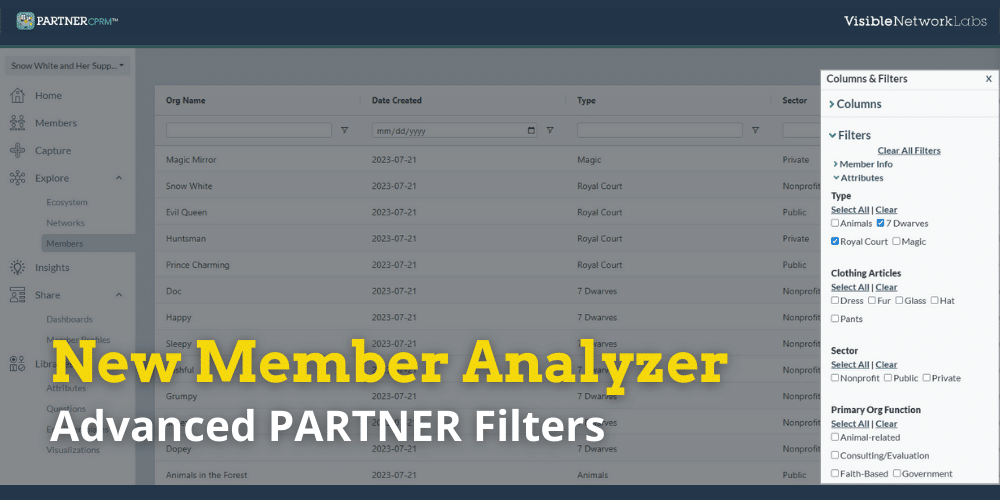
- Use Advanced Filters: Combining multiple AND/OR statements in the new filters allows you to create hyper-specific segments based on a mix of attribute, GIS, and survey data.
- Dig deeper into member dynamics: Sort and analyze member data alongside trust, value, and other relationship scores to uncover new insights about collaboration and engagement.
- Track changes over time: Add columns with survey responses from multiple time points to see changes over time and the impact of your strategy and other network interventions.
This isn’t just about organizing data—it’s about giving you strategic intelligence to strengthen your network, foster trust, and maximize your collective impact.
How to Get Started
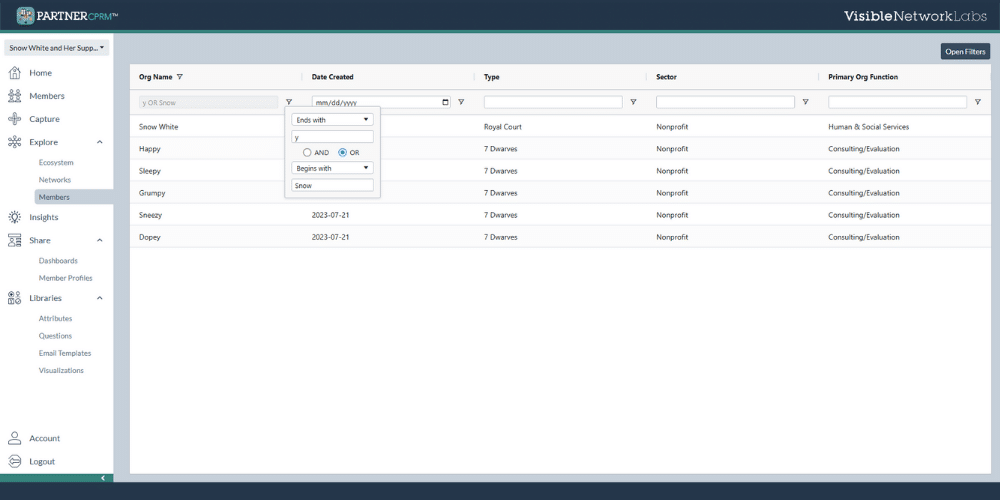
- In PARTNER CPRM, click the Explore tab, then select Members.
- Use the panel on the right to choose which member attributes and relationship data to display.
- Apply simple filters by clicking directly on a column, or use the Filters button for advanced combinations (AND/OR logic across multiple variables).
- Once you’ve filtered down to the list you need, click Export Members to download a CSV with your selected data.
What’s Next
This is just the beginning. On our roadmap: the ability to save and re-use custom filter views—so you don’t have to start from scratch every time.
We’d love your input as we continue building. If there’s a way you’d like to slice, filter, or compare your data, let us know—we’re creating this tool for network leaders like you.
Try the Member Analyzer Today
Current PARTNER CPRM users: Log in and explore the new Member Analyzer now under the Explore tab. Need a hand? Reach out to our support team or join our next training session to see it in action.
New to PARTNER CPRM? Request a personalized demo to explore how the Member Analyzer and our full suite of network analysis tools can help you manage your partnerships, strengthen collaboration, and show your impact.