Infographic: Managing Ecosystem Members with PARTNER CPRM
Community partnerships are complex, and keeping track of people, organizations, and relationships often means juggling spreadsheets, notes, and emails. PARTNER CPRM gives you one connected hub to organize member data, understand relationships, and turn insights into action.
The infographic below shows how you can move from scattered lists to a system that helps you engage partners, demonstrate impact, and make better decisions with confidence.
Managing Your Ecosystem Members
A story-first view of what you can do with PARTNER CPRM Pro and how it helps you track and strengthen your relationships.
See PARTNER CPRM in Action
Discover how these features work together to manage members, visualize relationships, and drive better decisions. Get a personalized walkthrough tailored to your ecosystem.
Request a DemoMember Management with PARTNER CPRM
Here’s how PARTNER helps you manage and track the members of your ecosystem, including community partners, stakeholders, and key players.
1. Compile your ecosystem members
Bring together all your disparate partner and stakeholder records into a single unified, reliable, and shareable ecosystem database. Upload your member list and data in a single, easy-to-customize template spreadsheet. Make bulk edits by re-uploading your template spreadsheet to keep data updated in real-time.
2. Create custom attributes
Use our starter member attributes, sector and focus area, and add unlimited additional custom attributes and fields to associate with member records. Choose from single-select, multi-select, text, number, date, time, and GIS attribute types to record and track multiple types of information.
3. Find & lookup members
With your members uploaded to your member library and tagged with your attributes, you can quickly filter and search for members to find the right community partner or stakeholder exactly when you need to. Click their name to view their contact card with all their key information, attributes, relationships, and notes.
4. Filter and export segmented listes
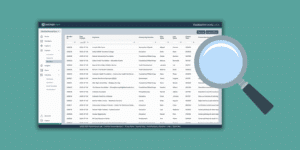
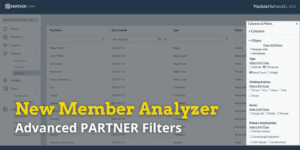
Use the new Member Analyzer and advanced filters to segment your ecosystem member list using any mix of attribute, contact info, and non-relational survey question responses. Then export your segments for additional analysis, emails, mail-merging, and other use cases.
5. Track Notes and secondary contacts
Avoid lost information and connections due to staff turnover and missing sticky notes by associating secondary contacts and their contact information with each ecosystem member. Write and save notes to record interactions, calls, or community meetings, plan future outreach, and note member-specific insights.
6. Share data with member profiles
When you find a key member of your ecosystem, generate a custom member profile to share externally with a URL online or download it to print out or share by email as a PDF file. These make preparing for your partner meetings and community events a breeze.
7. Analyze member data for strategy & impact
Use the platform’s built-in analysis tools to drill into your member data and uncover powerful demographic insights. Create charts and tables using attributes and survey responses, identify patterns and outliers using cross-tabs, and view member trust, value, and centrality scores in the network analyzer.
See it Live: Schedule a demo
Meet with a network science expert for a complimentary walkthrough of the PARTNER CPRM platform. We can show you how to use its features, answer your questions in real-time, and help you decide if it is the right solution for your needs and context.